Back to blog
AIGuides & Tutorials

How to get your Groq API Key

Learn how to quickly set up and secure your Groq API key to access some of the fastest language models available. This guide walks you through creating an account, generating your key, storing it safely with environment variables, and managing team access.

Saurabh RaiSaurabh Rai

Saurabh Rai

2 min read
How to get your Groq API Key

Groq is an AI inference platform known for extremely fast response times. Their LPU (Language Processing Unit) architecture delivers speeds significantly faster than traditional GPU-based solutions, making Groq popular for real-time applications, chatbots, and high-throughput use cases. They offer access to models like Llama, Mixtral, and Gemma through a simple API.

Groq’s API gives you access to some of the fastest language models available. Obtaining an API key typically takes around 2 minutes.

Step 1: Create Your Account
How to get your Groq API Key 1

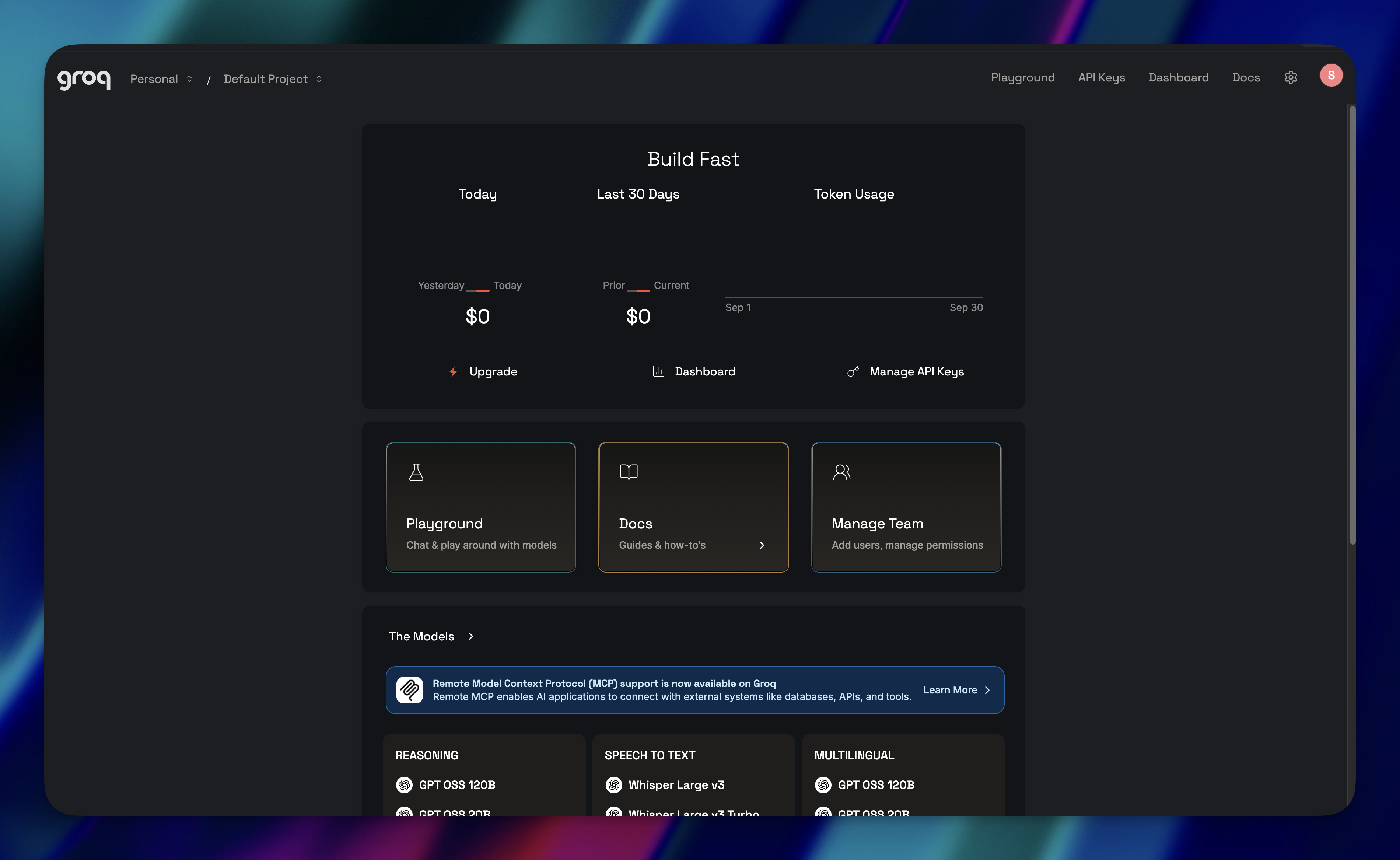
Go to console.groq.com and sign up. You’ll need to verify your email before you can access the console.

Step 2: Generate an API Key
How to get your Groq API Key 2

Once you’re in:

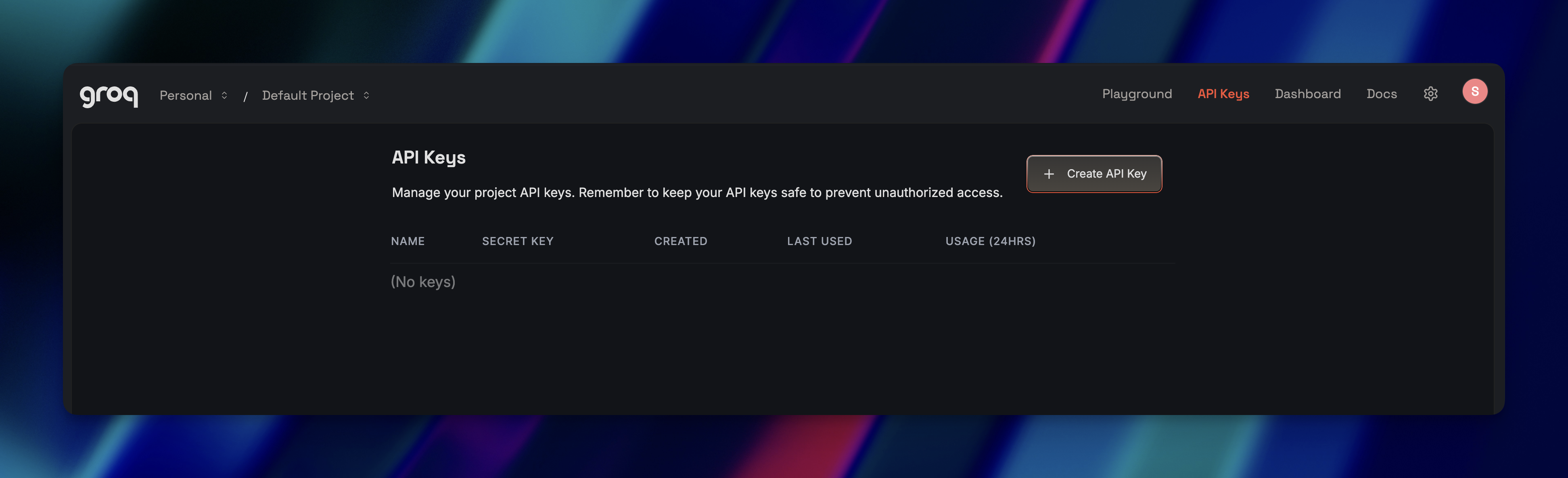
  1. Navigate to console.groq.com/keys
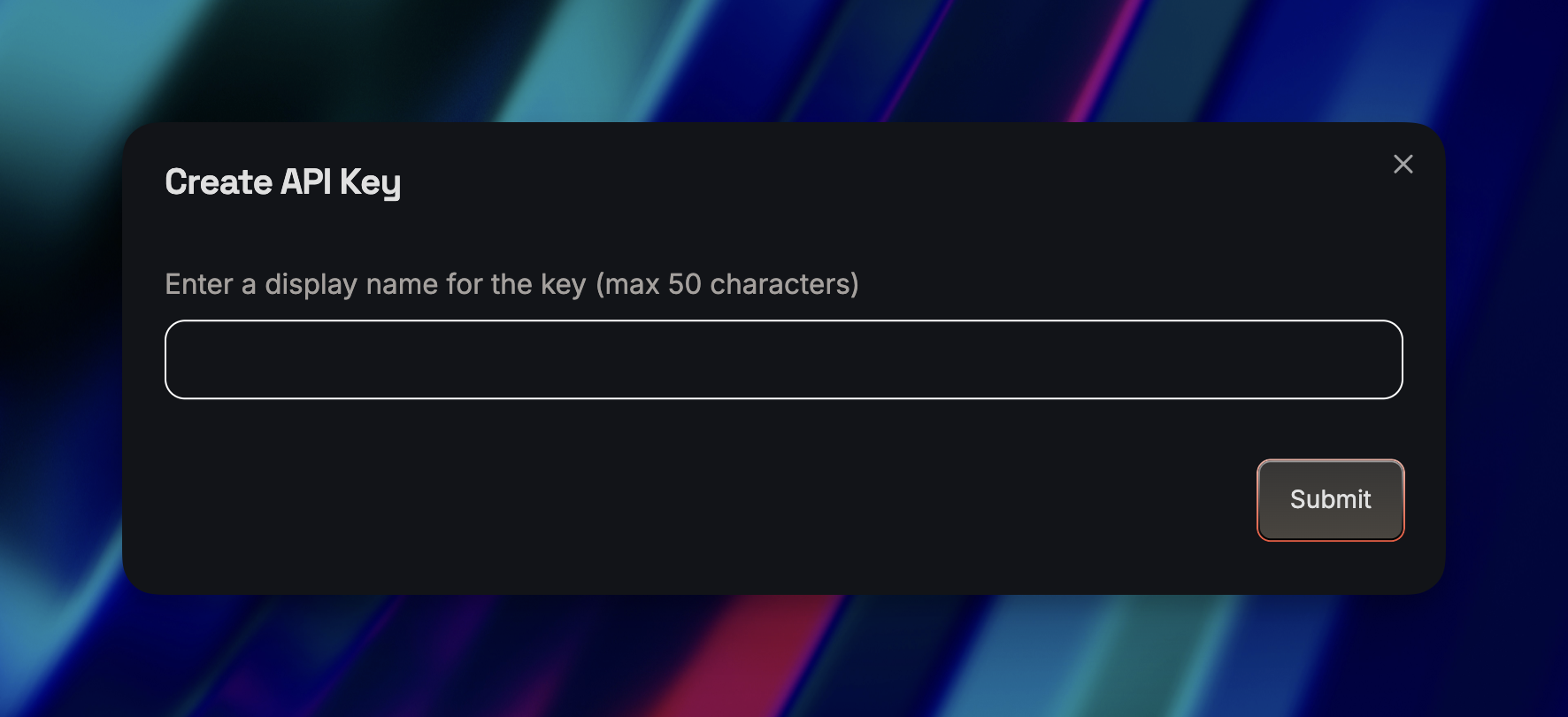
  2. Click “Create API Key”
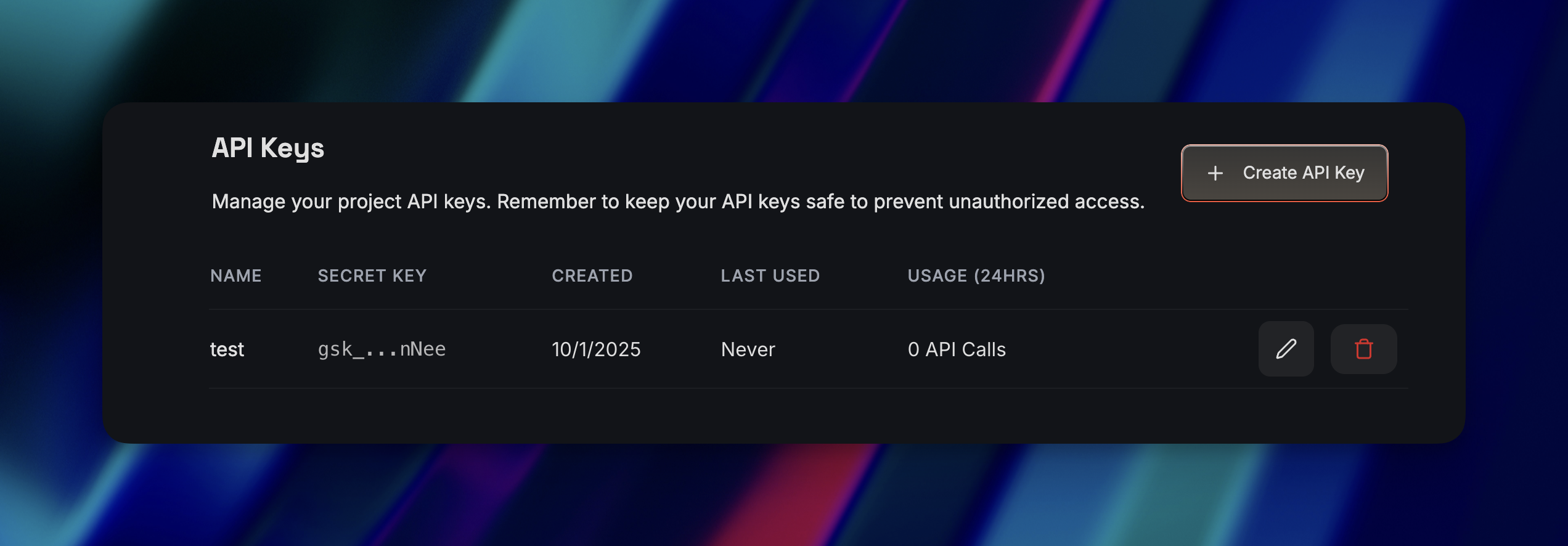
  3. Copy the key immediately — Groq only shows it once
How to get your Groq API Key 3

Lost your key? You can’t recover it. You’ll need to generate a new one and update everywhere you used the old key.

Step 3: Store Your Key Securely
How to get your Groq API Key 4

Don’t hardcode your API key in your application. Use environment variables instead. For terminal/command line:


bash
export GROQ_API_KEY=your-api-key-here

For applications (.env file):


GROQ_API_KEY=your-api-key-here

Add .env to your .gitignore so you don’t accidentally push your key to GitHub.

Team Access Note

Only team owners and users with the developer role can create or manage API keys. Keys belong to the organization, not individual users.

Ready to get started?

Scale your integration strategy and deliver the integrations your customers need in record time.

Ready to get started?
Talk to an expert

Trusted by fast-moving product & engineering teams

JobNimbus
Blue Zinc
Drata
Octa
Nmbrs
Apideck Blog

Insights, guides, and updates from Apideck

Discover company news, API insights, and expert blog posts. Explore practical integration guides and tech articles to make the most of Apideck's platform.

The Sage API Playbook: Why 'Sage Cloud' Is Not One API
AccountingIndustry insights

The Sage API Playbook: Why 'Sage Cloud' Is Not One API

What looks like one Sage integration quickly turns into six. This article breaks down why “building a Sage integration” is a trap—how each Sage product is a completely different platform, what that really means for your engineering roadmap, and why teams consistently underestimate the cost until it’s too late.

Bernard Willems

Bernard Willems

5 min read
Unified APIs for Fintech: When Point Integrations Stop Scaling
Unified APIIndustry insights

Unified APIs for Fintech: When Point Integrations Stop Scaling

A practical breakdown of when direct fintech integrations stop scaling, how non-linear complexity turns integrations into an engineering bottleneck, and what changes when you move to a unified API layer for reliability, velocity, and maintainability.

Kateryna Poryvay

Kateryna Poryvay

8 min read
Your Integration Roadmap to the Sage Ecosystem
AccountingIndustry insights

Your Integration Roadmap to the Sage Ecosystem

When a customer says "we use Sage," they could mean any of dozens of distinct products from 20-year-old regional desktop software to modern cloud platforms like Sage Intacct or Sage Active. Your integration strategy requires pinpointing the exact product, since the ecosystem is fragmented by region, market segment, and technology stack.

Bernard Willems

Bernard Willems

3 min read